ColorPicker
ColorPicker is an input control used to select a XenoAtom.Terminal.UI.Color (RGB or RGBA).
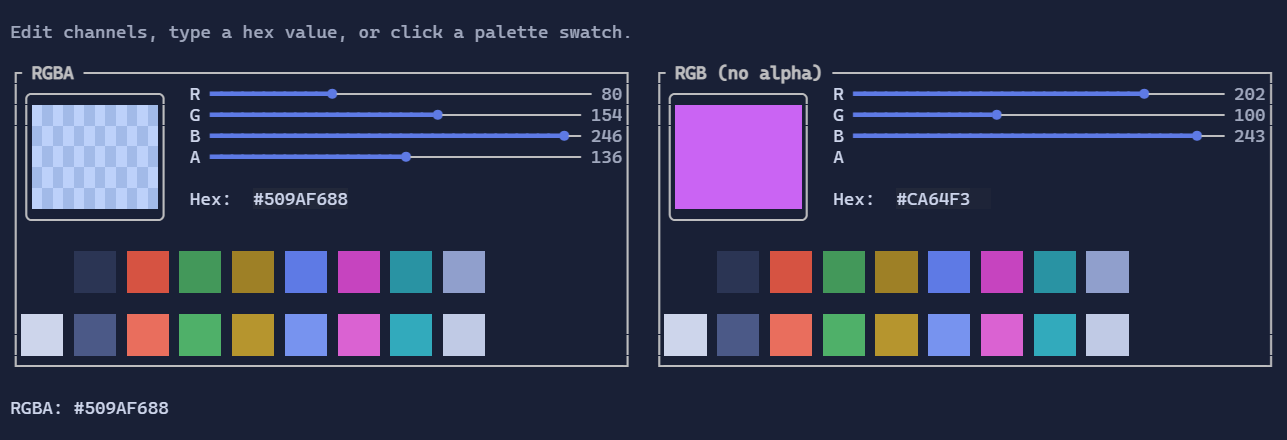
Usage
var color = new State<Color>(Color.RgbA(0x50, 0x9A, 0xF6, 0x88));

var picker = new ColorPicker()
    .AllowAlpha(true)
    .ShowPalette(true)
    .Value(color);
The UI includes:
- RGB sliders (and an optional Alpha slider)
- Hex input (
#RRGGBBor#RRGGBBAAwhen alpha is enabled) - An optional palette derived from the current
Theme.Scheme(or an explicitPalette)
Palette
Use Palette to override the swatches displayed by the picker:
var picker = new ColorPicker()
    .Palette(
        Color.Rgb(0xF7, 0x5B, 0x72),
        Color.Rgb(0x67, 0xAF, 0x34),
        Color.Rgb(0x50, 0x9A, 0xF6));
null entries in the palette are treated as Color.Default.
Defaults
- Default alignment:
HorizontalAlignment = Align.Stretch,VerticalAlignment = Align.Start
Styling
ColorPicker is styled through ColorPickerStyle:
picker.Style(new ColorPickerStyle
{
    SwatchWidth = 18,
    SwatchHeight = 9,
    PaletteColumns = 10,
});