Terminal User Guide
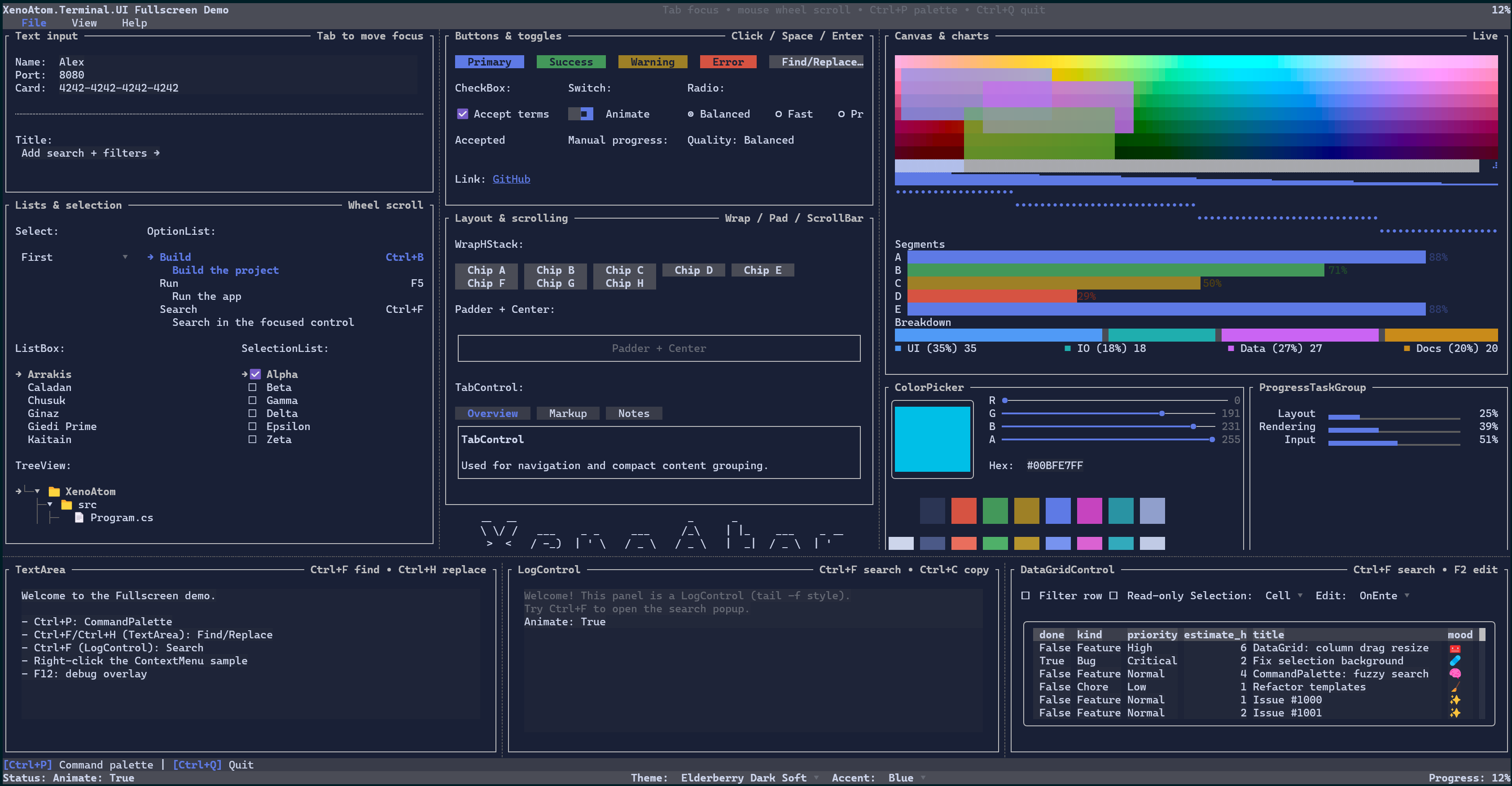
XenoAtom.Terminal.UI is a modern retained-mode terminal UI framework built on top of XenoAtom.Terminal. It supports both:
- Inline widgets that render as part of normal terminal output (
Terminal.Write,Terminal.Live) - Fullscreen applications (alternate screen, focus navigation, routed input, dialogs, etc.)
This guide documents the concepts, features, and controls of the library, including interactive controls such as
DataGridControl with sorting, filtering, search, resizing, inline editing, and direct cell activation for toggle/action cells.
Requirements (.NET 10 / C# 14)
XenoAtom.Terminal.UI targets net10.0 and requires the .NET 10 SDK (C# 14).
Rationale: the library integrates into XenoAtom.Terminal using C# 14 extension members, so the hosting APIs are
available as Terminal.Write(...), Terminal.Live(...), and Terminal.Run(...) on the Terminal type coming from
the XenoAtom.Terminal package.
Quick start
Ecosystem
Terminal.UI is built on:
- XenoAtom.Terminal - terminal I/O, input events, hosting (inline + fullscreen)
- XenoAtom.Ansi - ANSI/VT primitives and markup used by the
Markupcontrol and parsers
See also:
Hosting & integration
- Hosting (inline vs fullscreen, update loops)
- Async & Await (dispatcher context, async host updates, thread-affinity guidance)
- Prompts (inline prompts built on top of
Terminal.Live)
Core concepts
- Visual Tree (Visuals, fluent API, dynamic composition)
- Binding (
State<T>, pure-read bindable properties, push bindings, computed visual configuration) - Data Templating (DataTemplates, DataPresenter
, item templates) - Culture (culture-aware value formatting)
- Layout (layout protocol, alignment, margin/padding)
- Input (keyboard/mouse, focus scopes, overlay focus restore, routed events, capture)
- Commands (commands, typed names, key sequences, key hints with CommandBar)
- Styling (Theme, styles, environment, brushes/gradients)
- Rendering (cell buffer, diff renderer, performance)
- Scrolling (ScrollViewer, scroll models, scrollbars)
- Text Editing (TextBox/TextArea/CodeEditor/PromptEditor/MaskedInput and the text subsystem)
- Undo/Redo (undo/redo for text editors)
- Markup (markup syntax, semantic tokens,
MarkupTextParser) - Overlays (dialogs, popups, backdrops, tooltips, toasts)
- Nerd Font icons (generated
Runehelpers for official Nerd Fonts glyphs) - Debugging (debug overlay, performance metrics)
Controls reference
- Controls Reference
- CodeEditor (code-oriented editor with line numbers, pluggable margins, and syntax highlighting)
- MarkdownControl (Markdig-powered document rendering with configurable fenced-code rendering)
- NerdFont (generated icon helpers for use with text controls)
Samples
The samples folder contains end-to-end demos:
- Demos (screenshots, videos, and GitHub links)
samples/FullscreenDemo: fullscreen UI showcase.samples/ControlsDemo: catalog-style demo.samples/InlineLiveDemo: inline/live example (interactive).
Specs and design notes
The site/docs/specs folder contains deeper design documents and implementation notes used during development: