CommandBar
CommandBar displays a “key hints” strip for the current focus context.
It collects Command instances registered on the focused visual (and its parents) plus app-level commands, then renders
them as a sequence of keycaps and labels.
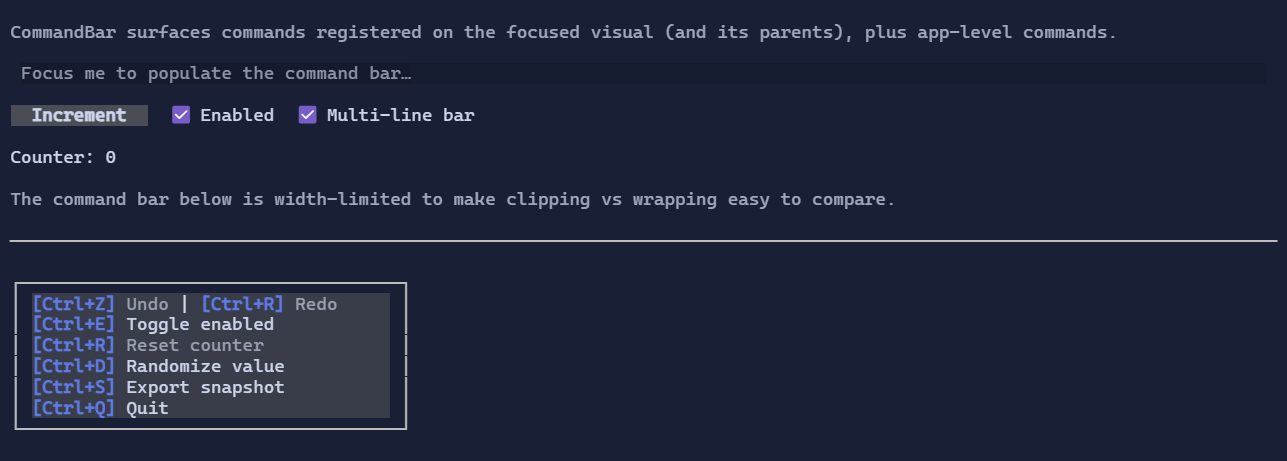
Example
using XenoAtom.Terminal;
using XenoAtom.Terminal.UI;
using XenoAtom.Terminal.UI.Controls;
using XenoAtom.Terminal.UI.Input;

var editor = new TextArea("Try Ctrl+Z / Ctrl+R / Ctrl+F");

var root = new DockLayout()
    .Content(editor)
    .Bottom(new VStack(
        new CommandBar(),
        new Footer().Left("Tab focus | Mouse").Right("Ctrl+Q quit"))
        .Spacing(0));

Terminal.Run(root);
Multi-line wrapping
By default, CommandBar keeps the existing single-row behavior and clips entries that do not fit.
If you want commands to wrap onto additional rows instead, enable MultiLine:
var bar = new CommandBar()
    .MultiLine(true);
In multi-line mode, a command entry is moved to the next row when it does not fit in the remaining space on the current row.
The default remains false.
Defaults
- Default alignment:
HorizontalAlignment = Align.Start,VerticalAlignment = Align.Start MultiLine = false
Styling
Use CommandBarStyle to change bar/keycap colors:
using XenoAtom.Terminal.UI.Styling;

var bar = new CommandBar()
    .Style(CommandBarStyle.Default with
    {
        Background = Colors.Black,
        KeyForeground = Colors.Primary,
        Separator = " · ",
    });