Grid
Grid arranges children into rows and columns using explicit GridCell entries (no attached properties).
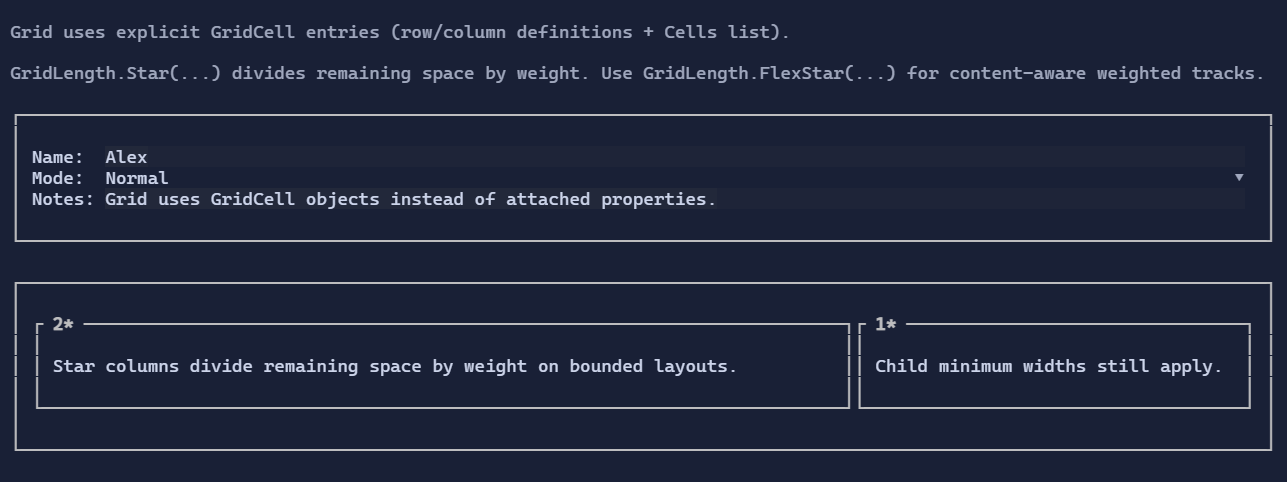
Basic usage
new Grid()
    .Columns(
        new ColumnDefinition { Width = GridLength.Auto },
        new ColumnDefinition { Width = GridLength.Star() })
    .Rows(
        new RowDefinition { Height = GridLength.Auto },
        new RowDefinition { Height = GridLength.Auto })
    .Cell("Name:", row: 0, column: 0)
    .Cell(new TextBox("Alex"), row: 0, column: 1);
Star sizing
GridLength.Star(weight) divides the remaining bounded space by weight.
Autotracks measure to content first.Startracks start from their mins on bounded axes, then divide the remaining space by weight.- Child natural size does not bias the ratio unless min/max constraints force it to.
- On bounded axes, a grid with
Startracks still reports the bounded allocated width as its natural size, so start-aligned parents do not collapse star layouts down to the tracks' minimum widths.
new Grid()
    .Columns(
        new ColumnDefinition { Width = GridLength.Star(2) },
        new ColumnDefinition { Width = GridLength.Star(1) })
    .Rows(new RowDefinition { Height = GridLength.Star(1) })
    .Cell(leftPane, row: 0, column: 0)
    .Cell(rightPane, row: 0, column: 1);
FlexStar sizing
Use GridLength.FlexStar(weight) when you want a flexible track that preserves child natural size before sharing extra space by weight.
FlexStaris content-aware.- It is useful for layouts where intrinsic content width should matter, but the track should still grow when extra space exists.
Spans
Cells can span multiple rows/columns via rowSpan / columnSpan.
Defaults
- Default alignment:
HorizontalAlignment = Align.Stretch,VerticalAlignment = Align.Stretch