MaskedInput
MaskedInput is a template-based single-line editor for structured values such as credit cards, dates, identifiers, etc.
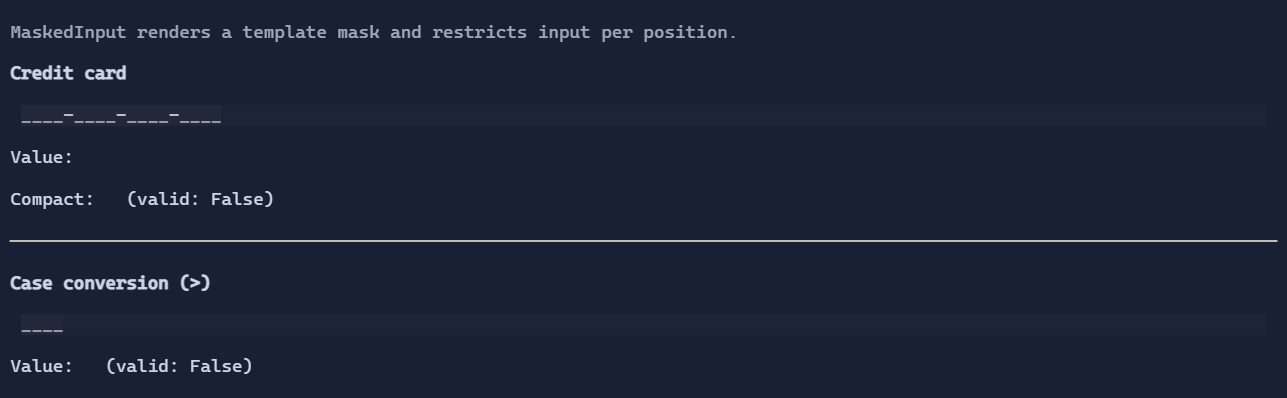
Basic usage
new MaskedInput("9999-9999-9999-9999;_");
The mask is always visible: literal separators from the template are always drawn, and unfilled slots render as a placeholder.
When the template includes the ;c suffix, the placeholder is c for all empty slots. Otherwise, the placeholder glyphs are
selected from the current MaskedInputStyle (for example digits use MaskedInputStyle.DigitPlaceholderChar).
Template format
The Template is a string where:
- Token characters describe an editable position with a per-character constraint.
- Any other character is treated as a literal separator.
- Use
\to escape token characters so they are treated as literals. - The template can end with
;cto specify the placeholder character for empty slots. When omitted, placeholders are chosen per token kind from the currentMaskedInputStyle.
Token characters
| Token | Allowed characters | Required |
|---|---|---|
A |
[A-Za-z] |
Yes |
a |
[A-Za-z] |
No |
N |
[A-Za-z0-9] |
Yes |
n |
[A-Za-z0-9] |
No |
X |
any non-space | Yes |
x |
any non-space | No |
9 |
[0-9] |
Yes |
0 |
[0-9] |
No |
D |
[1-9] |
Yes |
d |
[1-9] |
No |
# |
[0-9+-] |
No |
H |
[A-Fa-f0-9] |
Yes |
h |
[A-Fa-f0-9] |
No |
B |
[0-1] |
Yes |
b |
[0-1] |
No |
Case conversion directives
The following characters affect how subsequent user input is normalized:
>converts subsequent user input to uppercase<converts subsequent user input to lowercase!disables automatic case conversion
These directive characters are not displayed as part of the template.
Value and validation
MaskedInput.Value stores the slot characters only (separators and placeholders are not included). It is positional:
index 0 corresponds to the first editable slot, index 1 to the second, etc. Empty slots are represented by a space
character and trailing empty slots are trimmed.
MaskedInput.CompactValue returns the current value with empty slots removed.
MaskedInput.IsValid returns true when all required positions are filled and all filled characters satisfy the template.
var card = new MaskedInput("9999-9999-9999-9999;_");

new VStack(
    card,
    new TextBlock(() => $"Value: {card.Value}"),
    new TextBlock(() => $"Compact: {card.CompactValue}"),
    new TextBlock(() => $"Valid: {card.IsValid}")
).Spacing(1);
Undo / redo
MaskedInput supports undo/redo:
Ctrl+Z: undoCtrl+R: redo
See Undo/Redo.
Defaults
- Default alignment:
HorizontalAlignment = Align.Start,VerticalAlignment = Align.Start
Styling
MaskedInput uses MaskedInputStyle (derived from TextBoxStyle) for padding and background fill. Placeholder and
separator foregrounds are also configurable. The style also controls the placeholder glyphs used when the template does not
specify a ;c suffix.