WrapStack (WrapHStack / WrapVStack)
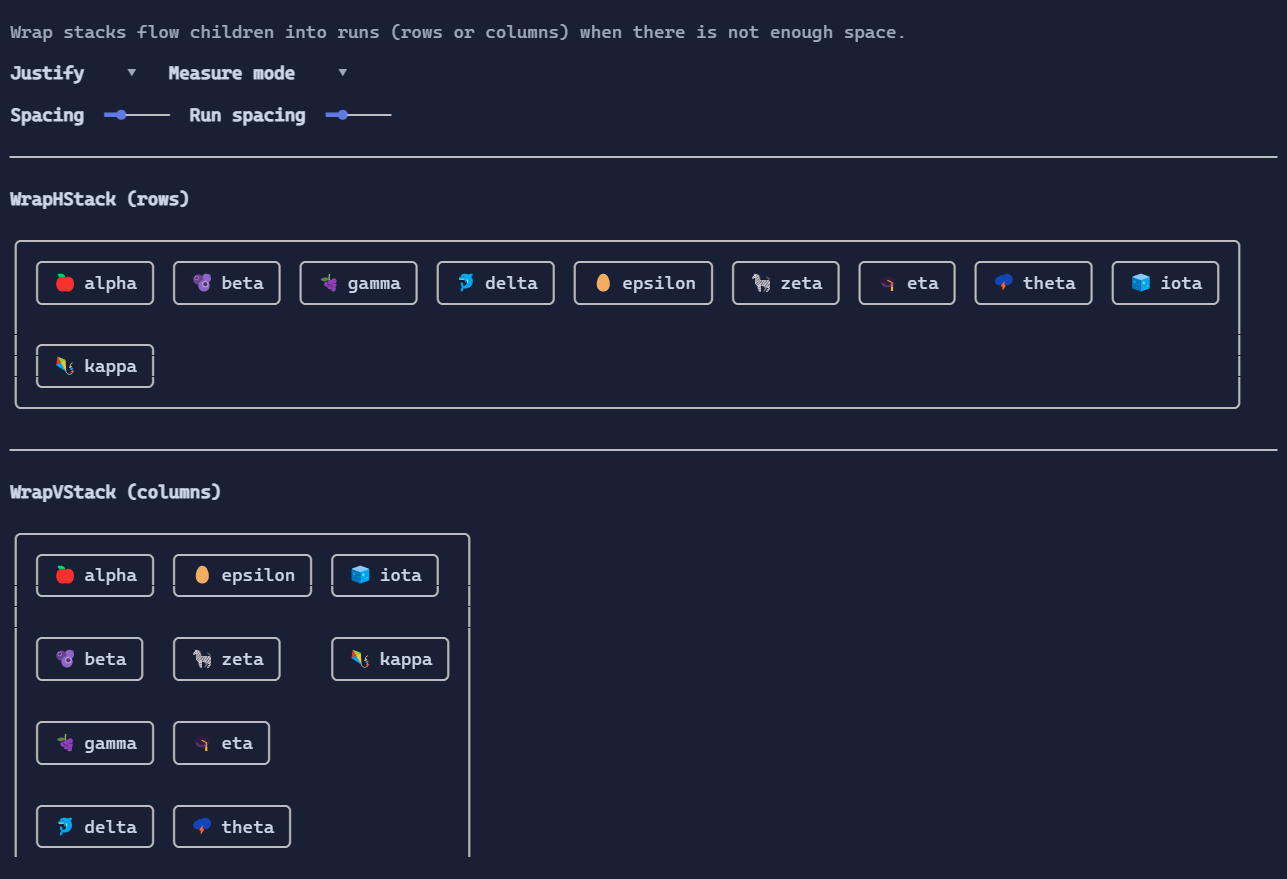
Wrap stacks arrange children in a flow layout: items are placed along a main axis until they no longer fit, then a new run is started.
WrapHStackconsiders width the main axis and wraps into rows.WrapVStackconsiders height the main axis and wraps into columns.
Key properties
Spacing: space between items in the same run.RunSpacing: space between runs.Justify: how leftover space is distributed along the main axis in each run.Start,Center,End,SpaceBetween,SpaceAround,SpaceEvenly
MeasureMode:ConstrainToRun(default): children are measured with the available main-axis constraint. This is usually what you want for text that can wrap.Unconstrained: children are measured with an unbounded main axis so they can report their intrinsic size (content may overflow and will be clipped).
Defaults
WrapHStack:HorizontalAlignment = Align.Start,VerticalAlignment = Align.StretchWrapVStack:HorizontalAlignment = Align.Stretch,VerticalAlignment = Align.Start
Example
var justify = new State<WrapJustify>(WrapJustify.SpaceBetween);

var content =
    new WrapHStack(
        new Border("alpha").Style(BorderStyle.Rounded),
        new Border("beta").Style(BorderStyle.Rounded),
        new Border("gamma").Style(BorderStyle.Rounded),
        new Border("delta").Style(BorderStyle.Rounded))
    .Spacing(1)
    .RunSpacing(1)
    .Justify(justify);