Placeholder
Placeholder is a lightweight visual surface for mockups and empty states. It can render with text, without text,
or as a gradient block using the brush model.
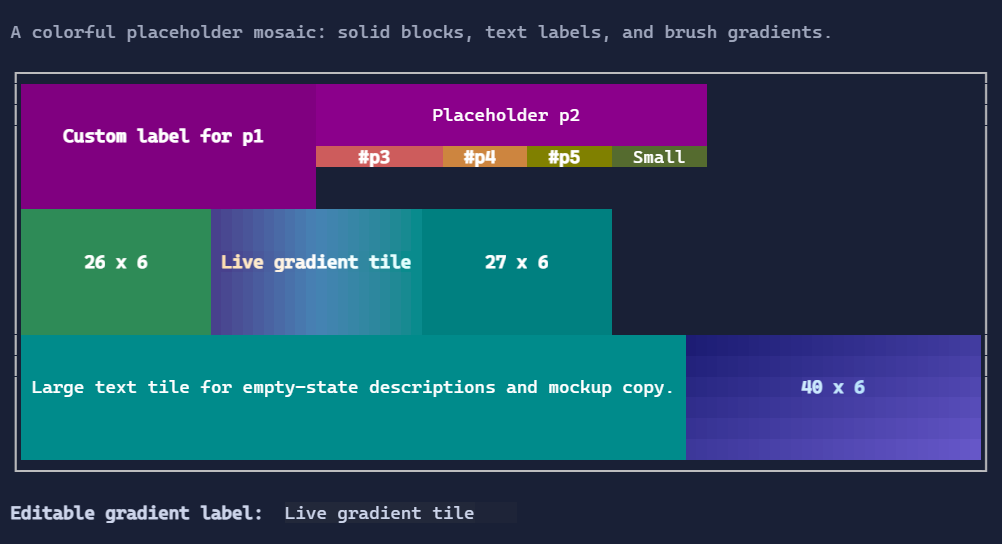
Basic usage
new Placeholder();

new Placeholder("No results");
Dynamic text
var message = new State<string?>("No data");

new Placeholder(message);
Background-only placeholder
new Placeholder()
    .MinWidth(20)
    .MinHeight(6)
    .Style(PlaceholderStyle.Default with
    {
        Background = Colors.SlateBlue,
    });
Gradient foreground and background
new Placeholder("Loading...")
    .HorizontalAlignment(Align.Stretch)
    .Style(PlaceholderStyle.Default with
    {
        ForegroundBrush = Brush.LinearGradient(
            new GradientPoint(0f, 0f),
            new GradientPoint(1f, 0f),
            [new GradientStop(0f, Colors.White), new GradientStop(1f, Colors.LightSkyBlue)]),
        BackgroundBrush = Brush.LinearGradient(
            new GradientPoint(0f, 0f),
            new GradientPoint(1f, 1f),
            [new GradientStop(0f, Colors.MidnightBlue), new GradientStop(1f, Colors.SteelBlue)]),
        TextStyle = TextStyle.Bold,
        Padding = new Thickness(1),
    });
Behavior defaults
Wrap = trueTextAlignment = TextAlignment.CenterVerticalTextAlignment = Align.CenterTrimming = TextTrimming.ClipPlaceholderStyle.FillBackground = true