RadioButton
RadioButton is a single-choice toggle used in groups.
Basic usage
Use a shared State<int> (or any state) to model a selected option.
var choice = new State<int>(0);

new VStack(
    new RadioButton("First").IsChecked(() => choice.Value == 0).Click(() => choice.Value = 0),
    new RadioButton("Second").IsChecked(() => choice.Value == 1).Click(() => choice.Value = 1)
);
Interaction
Space/Enter: check the radio button.- Mouse click: check the radio button.
For typical forms, keep the group state in a single State<T> (int/enum) and derive each button’s checked value
from it, as in the example above. This avoids keeping separate booleans in sync.
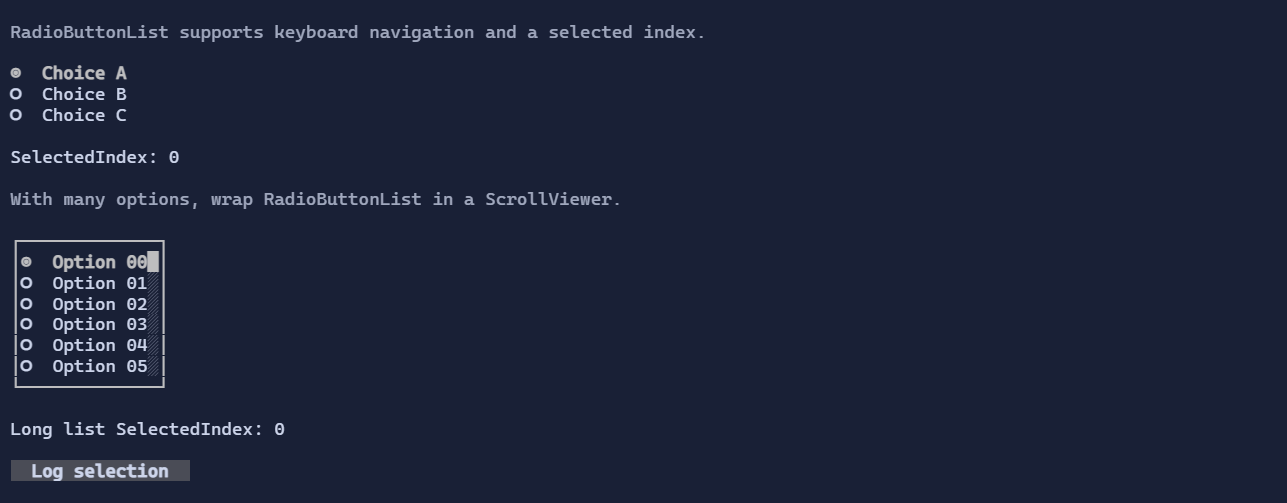
RadioButtonList
For a scrollable, templated, single-choice list (radio-group as a list control), use RadioButtonList<T>.
It is useful when you have many options and want consistent keyboard navigation.
Defaults
- Default alignment:
HorizontalAlignment = Align.Start,VerticalAlignment = Align.Start
Styling
RadioButtonStyle controls glyphs and colors.
RadioButtonListStyle (when using RadioButtonList<T>) controls marker glyphs, spacing, and selection visuals.