Toast
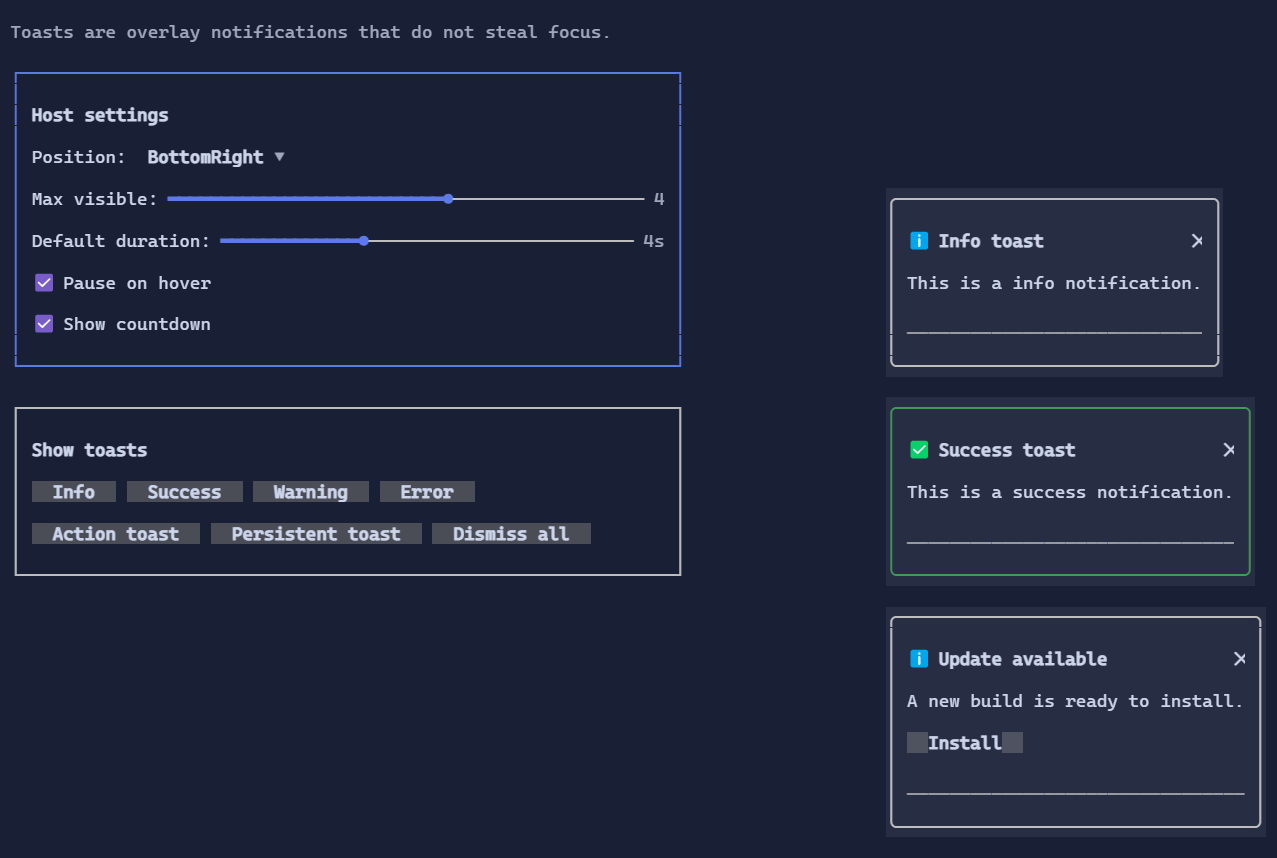
Toast notifications are non-blocking overlays used to provide brief feedback without interrupting the user.
They are hosted by ToastHost, which stacks toasts in a chosen corner and manages timers and dismissal.
Key features
- Severity-based styling (
Info,Success,Warning,Error). - Optional title, action button, close button, and countdown progress bar.
- Auto-dismiss with configurable duration (or persistent toasts).
- Overlay rendering that does not steal focus from the underlying UI.
Basic usage
Add a ToastHost at the root of your fullscreen app and show toasts with ToastService:
var root = new ToastHost(
        new DockLayout()
            .Top(new Header().Left("My App"))
            .Content(mainContent)
            .Bottom(new Footer()))
    .Position(ToastPosition.TopRight)
    .MaxVisible(3);

Terminal.Run(root);

ToastService.Success("File saved.");
Custom toasts
Use the toast builder to configure title, actions, and duration:
ToastService.Show(() => new Toast
{
    Title = "Update available",
    Content = "Version 2.0 is ready to install.",
    Severity = ToastSeverity.Info,
    Duration = TimeSpan.FromSeconds(8),
    ShowProgress = true,
    Action = new Button("Install").Click(StartUpdate),
});
Persistent toast (no auto-dismiss):
ToastService.Show(() => new Toast
{
    Content = new HStack(new Spinner(), "Uploading…").Spacing(1),
    Duration = null,
    ShowCloseButton = true,
});
Host configuration
ToastHost exposes bindable properties to control the overlay:
Position: corner placement (TopRight,BottomLeft, …)MaxVisible: maximum concurrent toastsSpacing: gap between toastsInset: margin from the viewport edgesDefaultDuration: default auto-dismiss durationPauseOnHover: pause timer when the mouse hovers a toast
These can be updated dynamically, and are demonstrated in the Toast demo page of ControlsDemo.
Defaults
ToastHost:HorizontalAlignment = Align.Stretch,VerticalAlignment = Align.Stretch