Tooltip
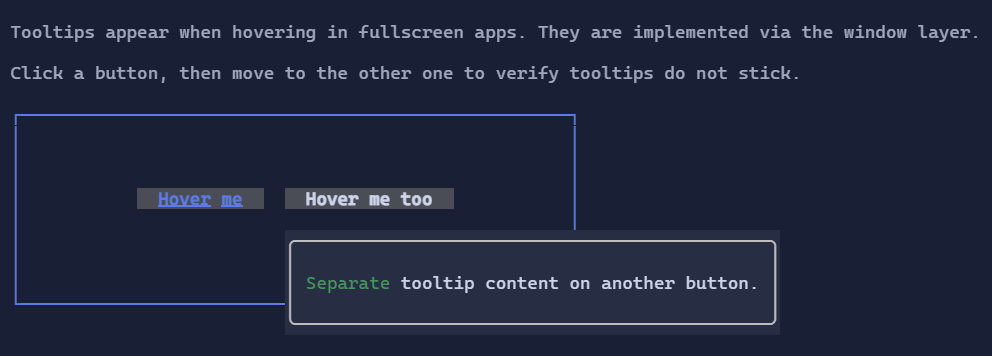
Tooltips display additional information when the user hovers a visual.
Basic usage
Wrap a visual with a tooltip using the Tooltip(...) extension method:
new Button("Delete")
    .Tooltip("Permanently deletes the item");
The tooltip content is a Visual, so you can use Markup or any other control:
new Button("Delete")
    .Tooltip(new Markup("[red]Permanently deletes the item[/]"));
Delay and placement
Tooltip(...) returns a TooltipHost, allowing you to configure behavior:
new Button("More info")
    .Tooltip("Shown above after 250ms")
    .ShowDelayMilliseconds(250)
    .Placement(PopupPlacement.Above);
Tooltips are implemented as a non-interactive overlay in fullscreen apps. They are dismissed when pointer interaction begins on the host, so clicks do not leave stale tooltip overlays behind.
Tooltips rely on mouse hover events. In inline/live hosting, hover may not be available depending on the terminal and host configuration.
Defaults
- Default alignment:
HorizontalAlignment = Align.Start,VerticalAlignment = Align.Start