CommandPalette
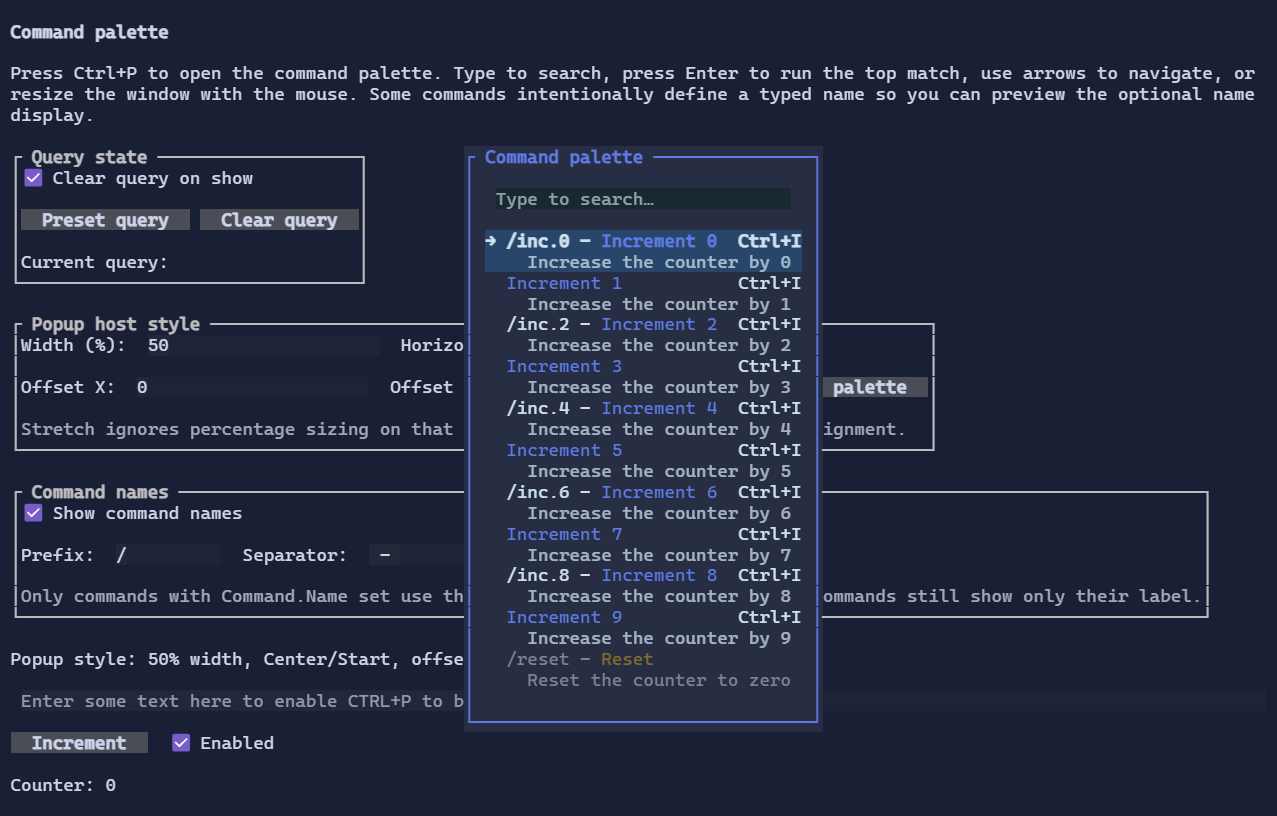
CommandPalette is a searchable command launcher built on top of the unified Command system.
Fullscreen-only
CommandPalette uses the window layer and is available only in fullscreen Terminal.Run(...) applications.
What it shows
CommandPalette lists commands discovered from the current focus context:
- Commands registered on the focused visual and its ancestors
- Global commands registered on the running
TerminalApp
Only commands marked with CommandPresentation.CommandPalette are shown.
If a command defines Command.Name, the default palette template shows it before the label markup (for example /open - Open File). Commands without a name still render only their label.
Typical usage
Create a palette instance and register a command that opens it:
using XenoAtom.Terminal;
using XenoAtom.Terminal.UI.Commands;
using XenoAtom.Terminal.UI.Controls;
using XenoAtom.Terminal.UI.Input;

var palette = new CommandPalette();

root.AddCommand(new Command
{
    Id = "App.CommandPalette",
    LabelMarkup = "Command palette",
    Gesture = new KeyGesture(TerminalChar.CtrlP, TerminalModifiers.Ctrl),
    Presentation = CommandPresentation.CommandBar | CommandPresentation.CommandPalette,
    Execute = _ => palette.Show(),
});
When open:
- Type to search
Show()clears the previous search by default- Press Enter to execute the currently highlighted result (the first match by default)
- Use Up/Down to navigate results
- Press Down from the search box to move directly to the next result
- Resize or drag the palette window with the mouse
- Press Esc to close
- Closing the palette returns focus to the control that was focused before
Show()
Host chrome
When displayed via CommandPalette.Show(), the palette is hosted inside a resizable dialog window. The host dialog takes
care of restoring the previous focus when the palette closes. The built-in palette chrome uses a recessed search field and a
lifted active-row surface so the current focus stands out from the surrounding dialog panel. You can still wrap the palette content with a template visual
using CommandPaletteStyle:
using XenoAtom.Terminal.UI.Controls;
using XenoAtom.Terminal.UI.Styling;

var palette = new CommandPalette();
palette.Style(CommandPaletteStyle.Default with
{
    PopupWidthPercent = 50,
    MinWidth = 30,
    MaxWidth = 120,
    PopupVerticalAlignment = Align.End,
    PopupOffsetY = -2,
    ShowCommandName = true,
    CommandNamePrefix = "/",
    CommandNameSeparator = " - ",
    PopupTemplateFactory = visual => new Border(visual),
});
PopupWidthPercent and PopupHeightPercent are optional viewport-relative sizing hints. Alignment (Start, Center, End, Stretch) and PopupOffsetX / PopupOffsetY still control where the popup appears after that size is resolved.
ShowCommandName, CommandNamePrefix, and CommandNameSeparator affect the built-in item template only. If you provide a custom ItemTemplate, that template fully owns the row rendering.
Query state
QueryText is a bindable property on CommandPalette, so applications can observe, prefill, or two-way bind the current search text. ClearQueryOnShow controls whether Show() resets that query before the palette takes focus. It defaults to true.
var palette = new CommandPalette
{
    ClearQueryOnShow = false,
    QueryText = "reset",
};
Defaults
- Default popup alignment:
PopupHorizontalAlignment = Align.Center,PopupVerticalAlignment = Align.Start - Default query behavior:
ClearQueryOnShow = true - Default command name display:
ShowCommandName = true,CommandNamePrefix = "/",CommandNameSeparator = " - "