Table
Table displays a grid of cells. Cells and headers are visuals for full composability.
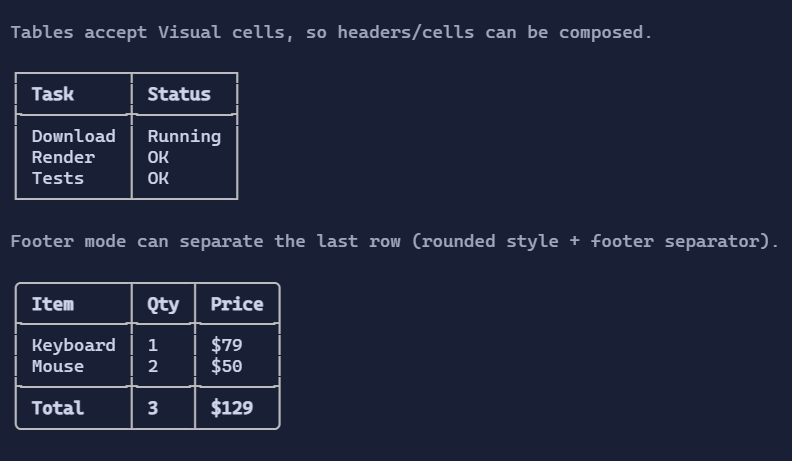
Basic usage
new Table()
    .Headers("Task", "Status")
    .AddRow("Download", "Running")
    .AddRow("Render", "OK");
Defaults
- Default alignment:
HorizontalAlignment = Align.Start,VerticalAlignment = Align.Start
Styling
TableStyle controls border glyphs, header style, separators, and line visibility.
Footer row
You can mark the last row as a footer:
new Table()
    .Headers("Item", "Amount")
    .AddRow("Subtotal", "$10.00")
    .AddRow("Total", "$10.00")
    .LastRowIsFooter(true)
    .ShowFooterSeparator(true);
LastRowIsFootertreats the final body row as a footer row.ShowFooterSeparatorinserts a separator before the footer row when row separators are not already enabled.
Notes
Tableis best for relatively small datasets where you want rich per-cell visuals.- Row height is computed from the tallest cell in the row, so multi-line visuals (e.g.
VStack,TextArea) work as expected. - For very large datasets, prefer
DataGridControl(virtualized, scrollable, selection/search/editing).