Backdrop
Backdrop is a full-viewport fill control typically used behind modal UI (dialogs, popups) to dim or clear the
content underneath.
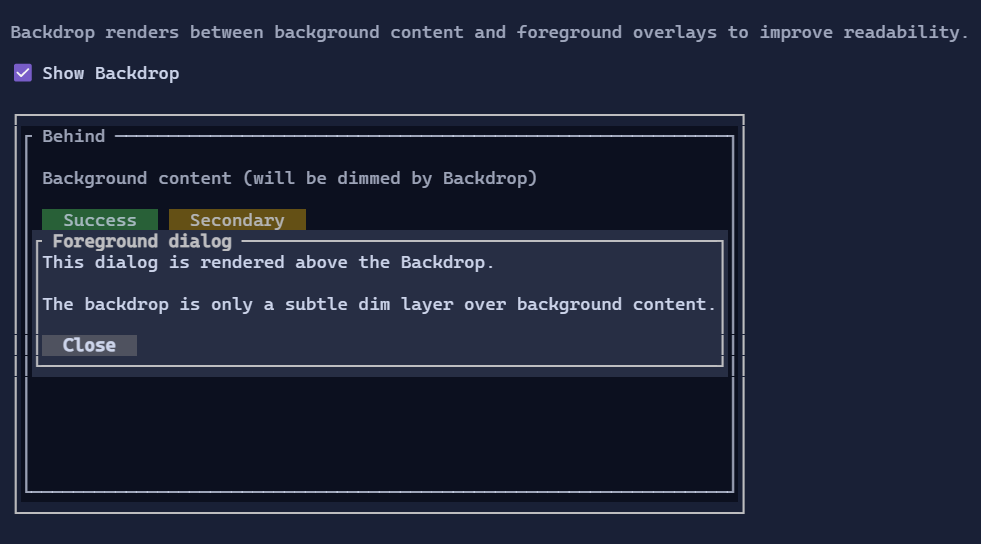
It renders a solid rune (space by default) across its bounds using the style resolved from BackdropStyle.
Key points:
- It is stretched by default (
HorizontalAlignment = Align.Stretch/VerticalAlignment = Align.Stretch). - It is commonly placed as the first child of a
ZStackto provide a surface behind overlay content. - The fill style writes an explicit foreground so nested content that “inherits” colors (e.g.
TextBlockStyle.Default) does not accidentally pick up foreground colors from whatever was rendered underneath.
Defaults
- Default alignment:
HorizontalAlignment = Align.Stretch,VerticalAlignment = Align.Stretch
Styling
Backdrop uses BackdropStyle from the visual environment.
BackdropStyle.Defaultis intended for modal dimming (it uses a dim text attribute and a theme-derived background).BackdropStyle.ThemeBackgroundfills using the current theme background (useful as a generic background clearer for locally-themed regions).
Example
var overlay = new ZStack(
    new Backdrop(),
    new Dialog().Title("Modal").Content("Hello"));