DocumentFlow
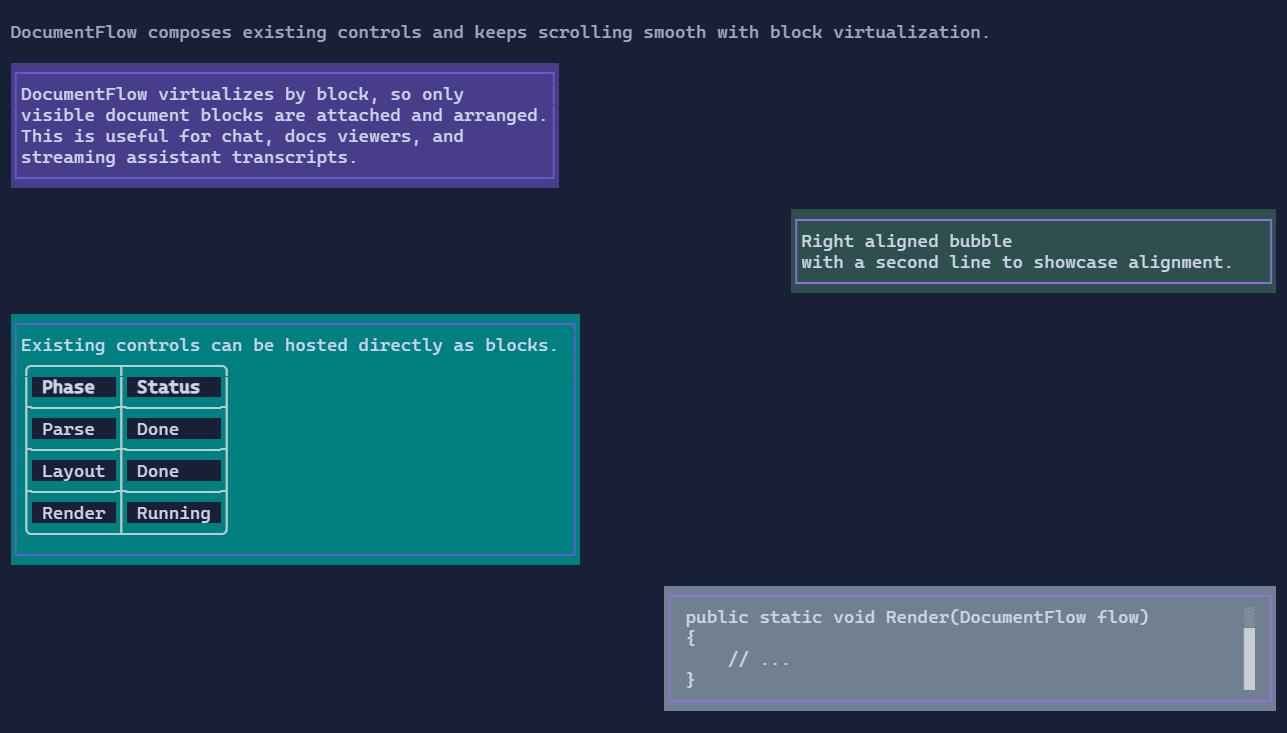
DocumentFlow is a virtualized, scrollable feed of document items.
Each item is composed from blocks (paragraphs, tables, code blocks, or any visual-backed block).
Basic usage
var flow = new DocumentFlow();

flow.Items.Add(new DocumentFlowItem
{
    Content = new FlowDocument()
        .AddParagraph("Hello from DocumentFlow"),
    Alignment = DocumentFlowAlignment.Left,
    MaxWidthPercent = 60,
});
MaxWidthPercent is evaluated from the available viewport width.
If both MaxWidth and MaxWidthPercent are provided, the most restrictive width is used.
Conversation-style alignment
flow.Items.Add(new DocumentFlowItem
{
    Content = new FlowDocument().AddParagraph("Left bubble"),
    Alignment = DocumentFlowAlignment.Left,
    MaxWidthPercent = 65,
});

flow.Items.Add(new DocumentFlowItem
{
    Content = new FlowDocument().AddParagraph("Right bubble"),
    Alignment = DocumentFlowAlignment.Right,
    MaxWidthPercent = 65,
});
Mixed block content
var table = new Table()
    .Headers("Key", "Value")
    .AddRow("Mode", "Fast");

var log = new LogControl().MaxHeight(4);
log.AppendLine("code: Console.WriteLine(\"Hello\")");

var document = new FlowDocument()
    .AddParagraph("Mixed content item")
    .Add(table)
    .Add(log);
Follow-tail
DocumentFlow follows the tail by default for append-heavy feeds.
flow.FollowTail = false;   // disable auto-follow, even if the viewport is already at the tail
flow.FollowTail = true;    // re-enable auto-follow for subsequent appends
flow.ScrollToTail();       // enable follow-tail and jump to the end
flow.ScrollToTail(false);  // disable follow-tail (keeps current viewport)
When FollowTail is false, appending new items keeps the current viewport stable instead of advancing to the new tail.
Use ScrollToTail() when you want to immediately jump to the current tail and keep following afterwards.
Scroll to a specific item
Use item indexes to jump to a specific DocumentFlowItem.
flow.ScrollToItem(42);       // throws if the index is invalid

if (!flow.TryScrollToItem(99))
{
    // index not found
}
ScrollToItem disables follow-tail mode, so subsequent appends do not force scrolling.
Use MaxCapacity to keep memory bounded for long-running sessions.