Terminal User Guide
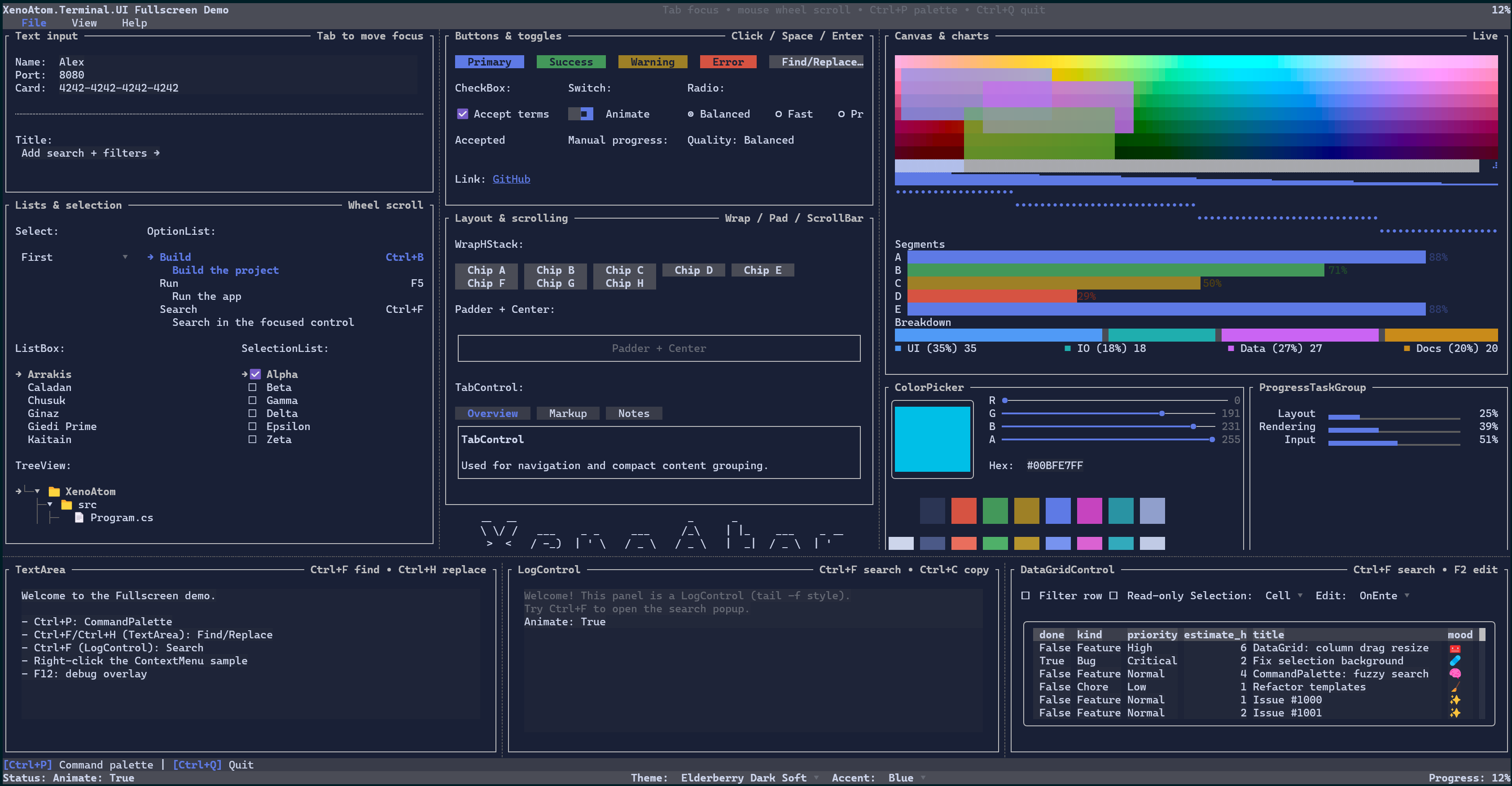
XenoAtom.Terminal.UI is a modern retained-mode terminal UI framework built on top of XenoAtom.Terminal. It supports both:
- Inline widgets that render as part of normal terminal output (
Terminal.Write,Terminal.Live) - Fullscreen applications (alternate screen, focus navigation, routed input, dialogs, etc.)
This guide documents the concepts, features, and controls of the library.
Requirements (.NET 10 / C# 14)
XenoAtom.Terminal.UI targets net10.0 and requires the .NET 10 SDK (C# 14).
Rationale: the library integrates into XenoAtom.Terminal using C# 14 extension members, so the hosting APIs are
available as Terminal.Write(...), Terminal.Live(...), and Terminal.Run(...) on the Terminal type coming from
the XenoAtom.Terminal package.
Quick start
Ecosystem
Terminal.UI is built on:
- XenoAtom.Terminal - terminal I/O, input events, hosting (inline + fullscreen)
- XenoAtom.Ansi - ANSI/VT primitives and markup used by the
Markupcontrol and parsers
See also:
Hosting & integration
Core concepts
- Visual Tree (Visuals, fluent API, dynamic composition)
- Binding (
State<T>, bindable properties, dependency tracking) - Data Templating (DataTemplates, DataPresenter
, item templates) - Culture (culture-aware value formatting)
- Layout (layout protocol, alignment, margin/padding)
- Input (keyboard/mouse, focus, routed events, capture)
- Commands (commands, key sequences, key hints with CommandBar)
- Styling (Theme, styles, environment, brushes/gradients)
- Rendering (cell buffer, diff renderer, performance)
- Scrolling (ScrollViewer, scroll models, scrollbars)
- Text Editing (TextBox/TextArea/MaskedInput and the text subsystem)
- Undo/Redo (undo/redo for text editors)
- Markup (markup syntax, semantic tokens,
MarkupTextParser) - Overlays (dialogs, popups, backdrops, tooltips, toasts)
- Nerd Font icons (generated
Runehelpers for official Nerd Fonts glyphs) - Debugging (debug overlay, performance metrics)
Controls reference
- Controls Reference
- NerdFont (generated icon helpers for use with text controls)
Samples
The samples folder contains end-to-end demos:
- Demos (screenshots, videos, and GitHub links)
samples/FullscreenDemo: fullscreen UI showcase.samples/ControlsDemo: catalog-style demo.samples/InlineLiveDemo: inline/live example (interactive).
Specs and design notes
The site/docs/specs folder contains deeper design documents and implementation notes used during development: