Text Editing
Text input is a first-class feature of XenoAtom.Terminal.UI: you get a shared editing engine across multiple controls, with selection, clipboard, undo/redo, scrolling, integrated Find/Replace, and code-oriented syntax-highlighting hooks.
Controls built on the text infrastructure
These controls share the same editing engine and most of the same user experience:
- TextBox - single-line editor, password mode, overflow indicators
- TextArea - multi-line editor, soft wrapping, Find/Replace popup
- CodeEditor - multi-line code editor with line numbers, pluggable margins, and syntax highlighting
- MaskedInput - structured templates (credit cards, dates, IDs, etc.)
- NumberBox - numeric value binding with inline validation
- PromptEditor - prompt-style editor with single-line or multi-line modes and configurable command hints for accept/new-line workflows
Other controls also use the same infrastructure for parts of their UX:
- SearchReplacePopup - reusable Find / Replace UI (hosted by TextArea, CodeEditor, and LogControl)
- LogControl - selection/copy + Find (Ctrl+F)
- DataGridControl - in-place editing uses text editors (e.g. TextBox/NumberBox)
Editing features
Across the editors above you typically get:
- Caret + selection: keyboard and mouse selection, text element (grapheme) aware navigation.
- Clipboard: copy/cut/paste shortcuts when enabled by the control’s clipboard mode/settings.
- Undo/redo: built-in history (
Ctrl+Z/Ctrl+R) integrated with programmatic edits. - Overflow + scrolling:
- Single-line editors provide overflow indicators when content is wider than the viewport.
- Multi-line editors integrate with
ScrollViewerviaIScrollable.
- Editor location APIs:
CodeEditorexposes Go To Line / Column / Position helpers plus bindableLine/Columnstatus values.
Most controls expose their shortcuts as commands, so a focused editor can be discoverable via a CommandBar.
Undo / redo
Text editors support undo/redo:
Ctrl+Z: undoCtrl+R: redo
See Undo/Redo.
Find / Replace
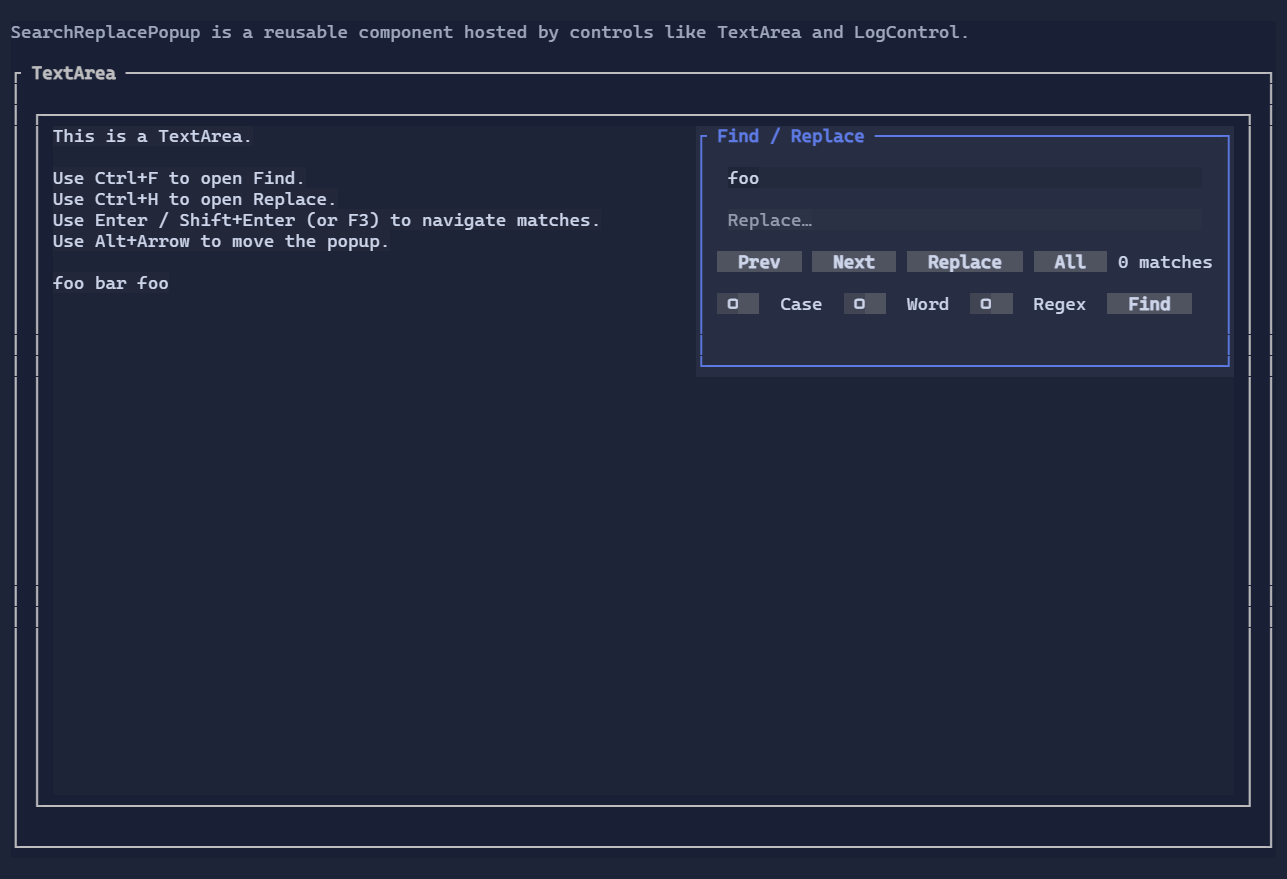
TextArea and CodeEditor include a built-in Find / Replace UI powered by the reusable SearchReplacePopup:
Ctrl+F: FindCtrl+H: Replace
The same popup component is also used by other controls (for example, LogControl hosts it in Find-only mode).
Find/Replace is hosted by the editor control and rendered as a window-layer popup in fullscreen apps. The host keeps the popup
anchored to the editor and forwards query/navigation updates through an ISearchReplaceTarget.
Scroll integration
Text editors that can extend beyond their viewport implement IScrollable, so they integrate naturally with ScrollViewer:
new ScrollViewer(new TextArea(longText))
How it works (conceptual)
The text editing stack is split into a few focused parts:
TextEditorBase: shared control base for editors (focus, commands, cursor integration).TextEditorCore: editing behavior (navigation, selection, word operations, clipboard, undo/redo, search matches).CodeEditor: code-oriented chrome built on the same engine, adding margins, line numbers, current-line treatment, and line-relative syntax highlighting.ITextDocument: document abstraction for storage and edits.TextDocument: a simple document implementation.DynamicTextDocument: bridges a bindableTextproperty to the editor engine.
ScrollModel: viewport/extent model used byIScrollablecontrols andScrollViewer.
For large documents, the multi-line editor path caches per-line widths and wrap metadata, updates those caches incrementally after document changes, and renders only the visible rows instead of rescanning the entire document on each frame. Extremely long wrapped lines use sparse row checkpoints plus a small reusable cache of fixed-size wrapped-row blocks, so keyboard navigation, PageUp/PageDown, mouse wheel scrolling, and scrollbar drags can jump quickly without materializing every wrapped row offset or allocating per-row navigation state while moving through the document.
Mouse-wheel scrolling is handled by hosting scrolling containers such as ScrollViewer; text editors themselves do not
consume wheel input directly.
The caret is rendered using the terminal cursor (not a fake reverse-video “block” cell), which keeps rendering stable and works well with accessibility settings in many terminals.